Making print books (Chatbooks)
Make a printed 5×5 in Chatbooks photo book from a project's collection (clips, albums, photos): catalogue with permanent IDs, lab and pick tools, spread-first layout, QR short links, 300 dpi export with bleed for Chatbooks' trim.
Why printed books
I'm a big fan of printed things: something you can hold, touch, flip through, stare at, and come back to, to reflect on or simply admire the work. These are personal projects, and I wanted them to have a physical form I can keep in my real space, not just a URL.
So I took a Chatbooks subscription (a monthly photo-book plan), and set out to give the projects I build through vibe coding and agent coding, with Claude, ChatGPT, Grok and Gemini, a printed counterpart. I composed the first book by hand. Over time the work moved into tools: ChatGPT helped make HTML book previews, and each book taught us something about trim, spreads, QR codes and how to review before printing. This page collects those learnings, and the same text works as a skill that agents follow.
Related book projects
- JRB20's Sora Sketchbook: the editorial portfolio behind Act JRB20, with alternate narrative editions and square HTML book proofs.
- Book Preview: a flip-book viewer for photo books (gallery view, page curl, QR share), with Music Cards, Room Sale and Tree Stories.
- Apple Books Print Cards: printable QR cards for owned Apple Books, including exports sized for Chatbooks.
- Print Studio: Print Composer, Contact Sheet Studio and Book Sequence for sheets, booklets and page-by-page sequencing.
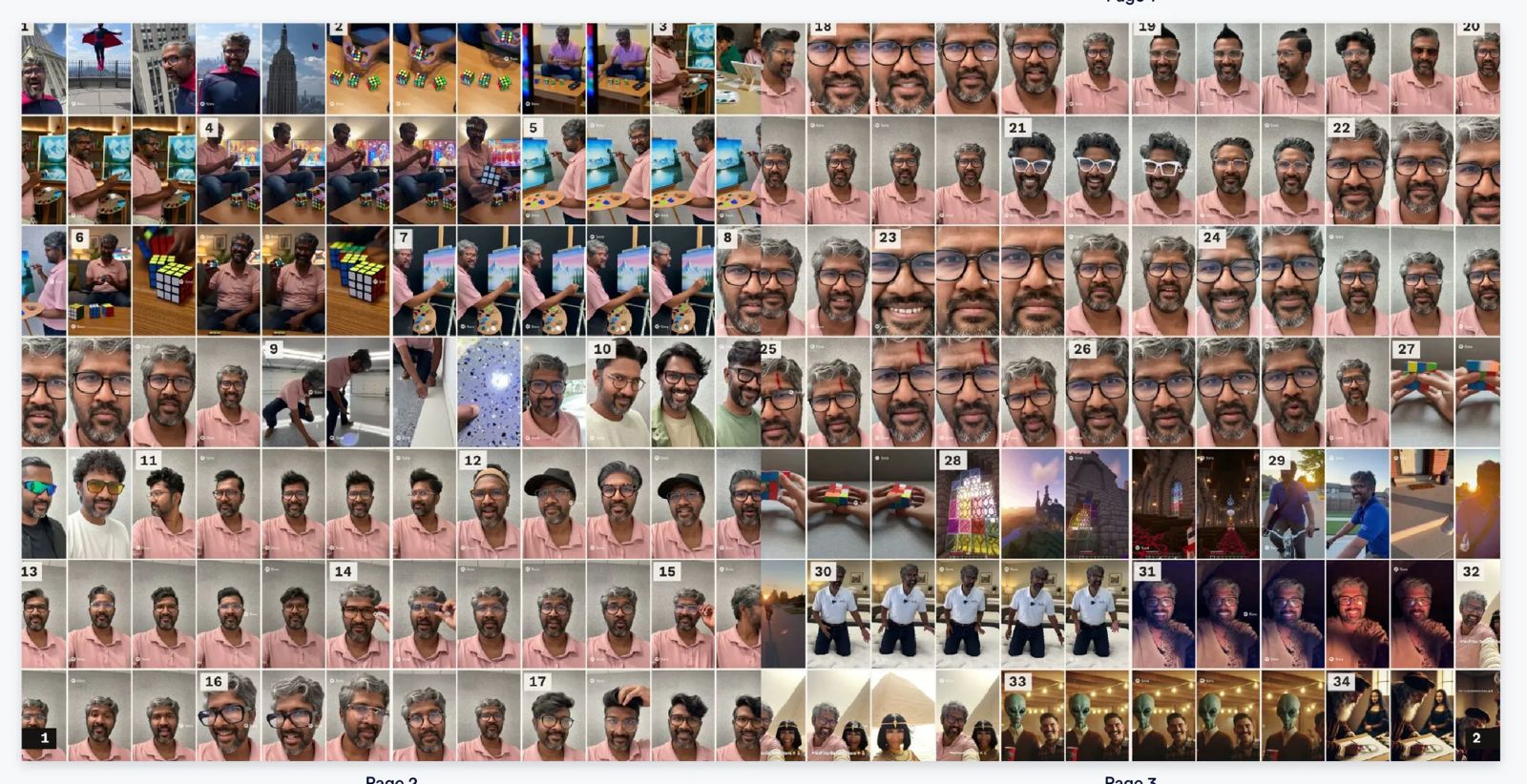
- Every Frame (4 volumes of Sora frames) and All I Need Music (234 soundtracks): the two books this playbook was learned on.
Before this playbook (v0.5, with ChatGPT)
The method on this page didn't start here. For a month before it, ChatGPT and I tried to turn the Sora archive, 2,719 generated clips, into something readable. The goal was never only a photo book: the same body of work was published and prototyped in several forms, each asking a different question. An editorial site asked what is the story; web readers asked what should be compared and in what order; a 5 × 5 proof asked what survives a page turn; cards and books asked what deserves to become physical. They are related forms of one publishing practice, not competing outcomes.
| Date | Form | What it taught us |
|---|---|---|
| 27 Aug | Sora to Print | A browser editor for square 1,500 px Chatbooks cards (title, short copy, QR code, safe area). Real pages, assembled one at a time. |
| 29 Aug | Sora Sketchbook / Act JRB20 | An editorial site that made the practice readable as a field record, not one canonical book. |
| 3 Sep | Picker and sorter | Keep, discard and bucket decisions with stable filenames: picking became separate from export. |
| 20 Sep | Editorial v1 | Five web books from 307 of 2,719 studies, grouped by project family. Legible, but it read like a catalogue. |
| 20 Sep | Editorial v2 | An independent cut of 38 scenes with a six-movement arc per book: an editorial spine, but still a plan. |
| 22 Sep | Editorial v3, The Long Arc | A 65-logical-page reader: stills first, pairs, grids, quiet text pages, mini-indexes. Paced, but not printer-ready. |
| 23 Sep | 5 × 5 Book Preview | A flip-book proof of spreads with a page map for swaps: back to the scale of a Chatbooks upload. |

What didn't work, honestly. The early print work produced real pages and taught the constraints (safe areas, page order, the gap between an attractive square on screen and a readable printed page), but the Sora Sketchbook never resolved into one finished printed edition. The archive was too broad, the first cuts too category-led, and even the best web reader still needed another round of selection and page-level composition. A 60-page plan (v2) is not an edited 60-page book; "logical pages" (v3) are not printer pages; and no sorter or manifest replaced looking at the images together.
How the books resolved it. Every Frame answered the broad archive the other way round: no editorial cut at all, every frame in date order, with permanent clip IDs and a way back to each video. All I Need Music applied the same system to a smaller, curated collection. The editorial readers remain what they were good at: telling a story on screen.
What carried forward into the rules below:
- Proof at print size before export; page order is an editorial decision.
- Separate picking from layout, and keep stable IDs so any image can be swapped.
- Read in spreads, with deliberate single pages at the start and end.
- A few strong images, pairs and grids beat pages of near-duplicates.
- Keep source details backstage; write reader-facing text plainly.
- Test every size, trim and page-count claim in Chatbooks' own preview.
How this playbook came about
How we make 5 × 5 in Chatbooks from our own collections, learned on two books in Sep 2026:
- Every Frame (Sora clips, 4 volumes):
/Users/briji/x sora jrb20 backup/sora video gallery/book/(scripts/mosaic.mjs) - All I Need Music (234 albums, 1 volume):
/Users/briji/vibe-coding/pet-projects/all-in-need-music/book/(build_sample.mjs)
Both books are HTML pages rendered to PNG with Playwright. Content lives in data files, and layout lives in one script plus one stylesheet.
1. Chatbooks facts (measured, not guessed)
| Fact | Value | What we do about it |
|---|---|---|
| Book size | 5 × 5 in, 60 images max per book | Plan every book as exactly 60 images |
| Image 1 and image 60 | Single pages (right, then left); everything between pairs into spreads 2–3 … 58–59 | Design images 2–59 as spreads; use 1 and 60 for single-page content (intro, back) |
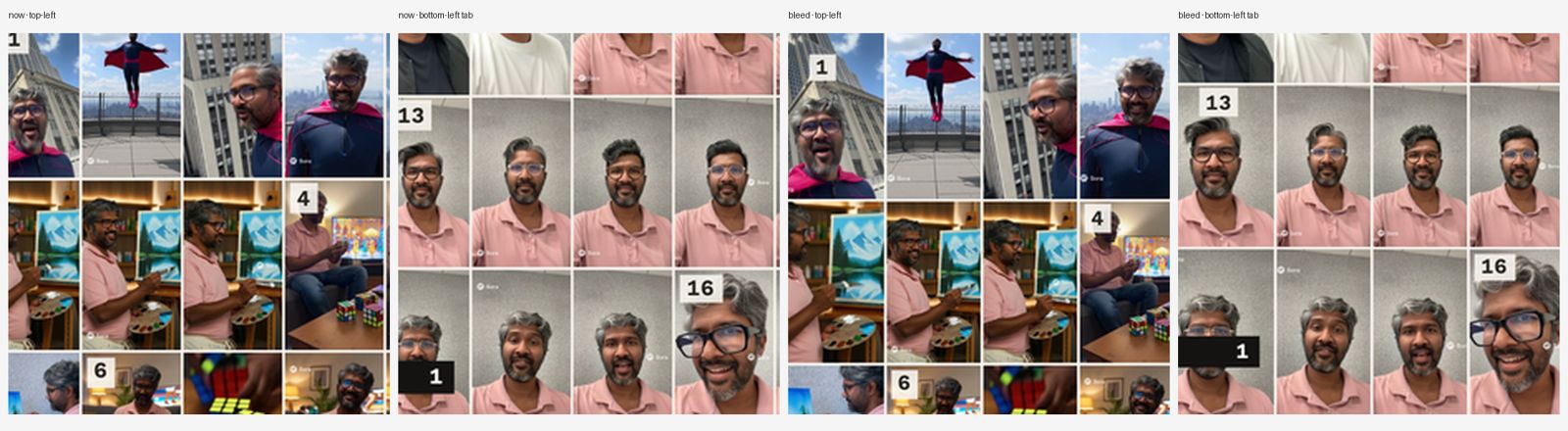
| Edge trim | Keeps the central ~95.5%: about 34 px of 1500 (0.11 in, 2.9 mm) per side, even on all sides, zoom-to-fill | Add bleed, and keep all text ≥ 24 CSS px (0.25 in) inside the trim |
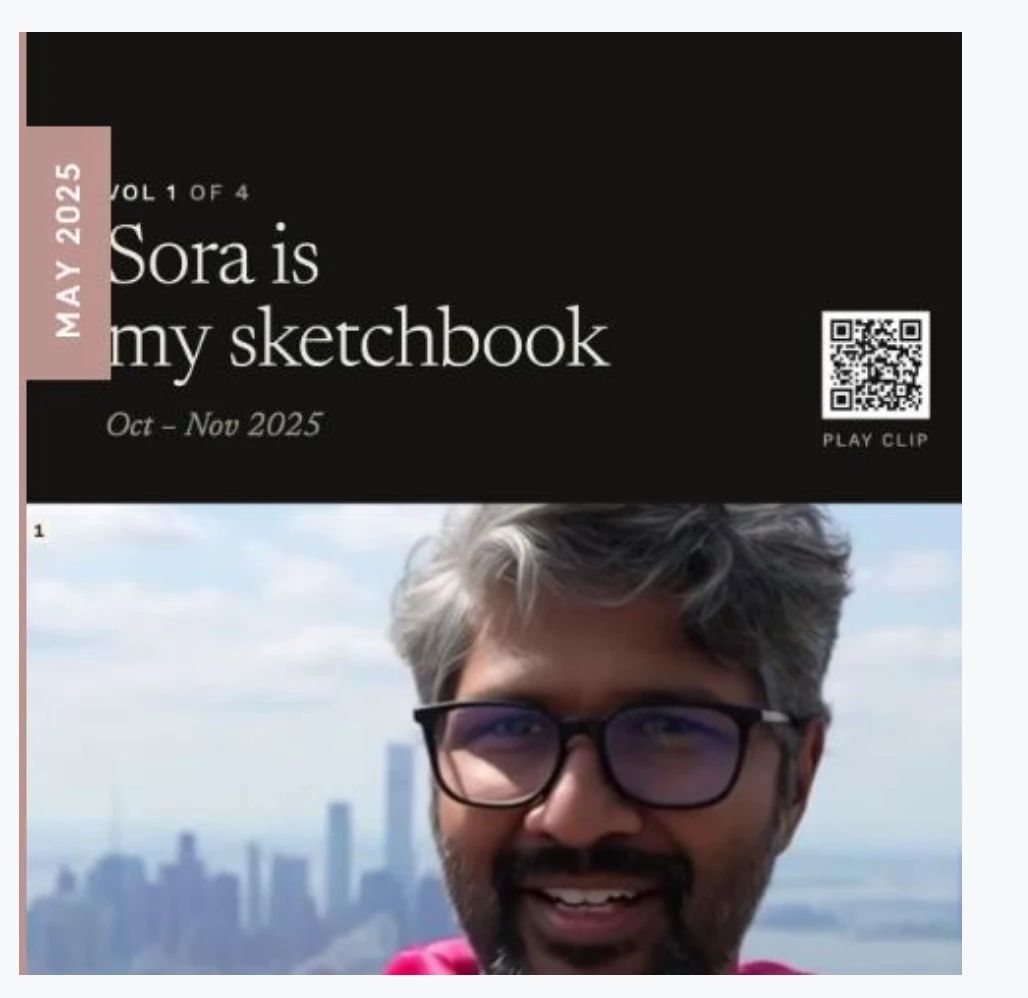
| Cover / first-page tab | Chatbooks lays its own vertical date tab over the left edge, about 44 CSS px wide | Keep cover text ≥ 88 CSS px from the left; right-hand vertical titles read bottom-to-top, matching the tab |
| Page labels | Chatbooks' "Page N" counts image 1; our printed numbers start at image 2 | Expected; the index uses the printed numbers |
How we measured the trim: fit the Chatbooks preview screenshot against our own PNG (best crop match: 95.5%, ±6 px). Redo this with a calibration page if a new product or size is used.
2. Page and file spec
- Build each page at 480 × 480 CSS px (5 in at 96/in). A spread is 960 × 480.
- Export at 300 dpi:
deviceScaleFactor = 1500 / 480gives 1500 × 1500 px. - Bleed: pad every edge by 36 px by repeating the edge pixels, giving 1572 × 1572 px. (Music book:
add_bleed.py.) For true full-bleed art, build the extra area in HTML instead (Every Frame bleed study:book/review/bleed-study/). - Output: a single-page PNG per image, named
01.png … 60.pngin upload order, plushardcover.pngif needed. No spread PNGs; Chatbooks takes pages. - Keep print files inside the project folder (e.g.
project/book/print/) and list them as never-deploy inDEPLOY.md.
3. Workflow that worked
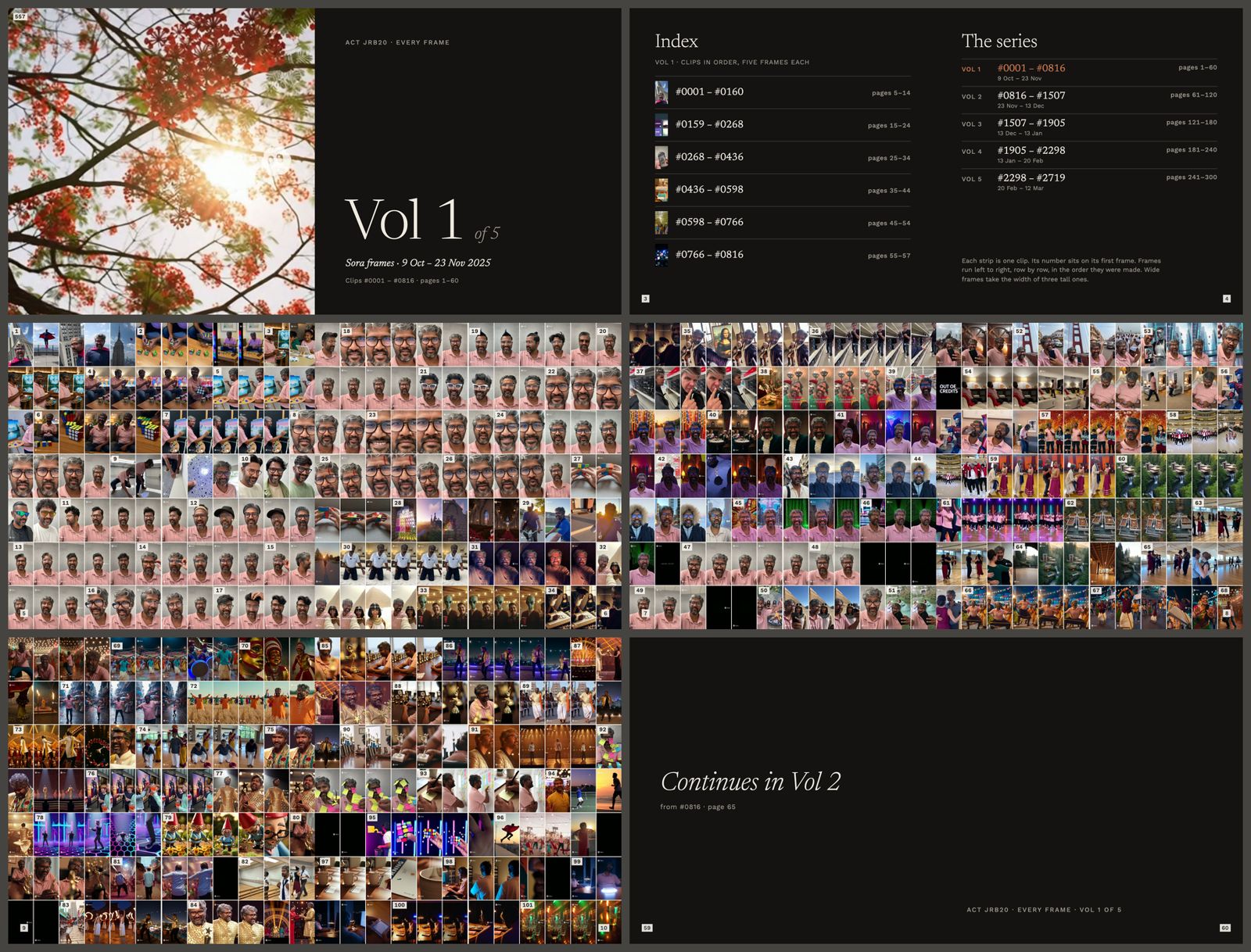
- Catalogue first. Give every item a permanent ID (Sora
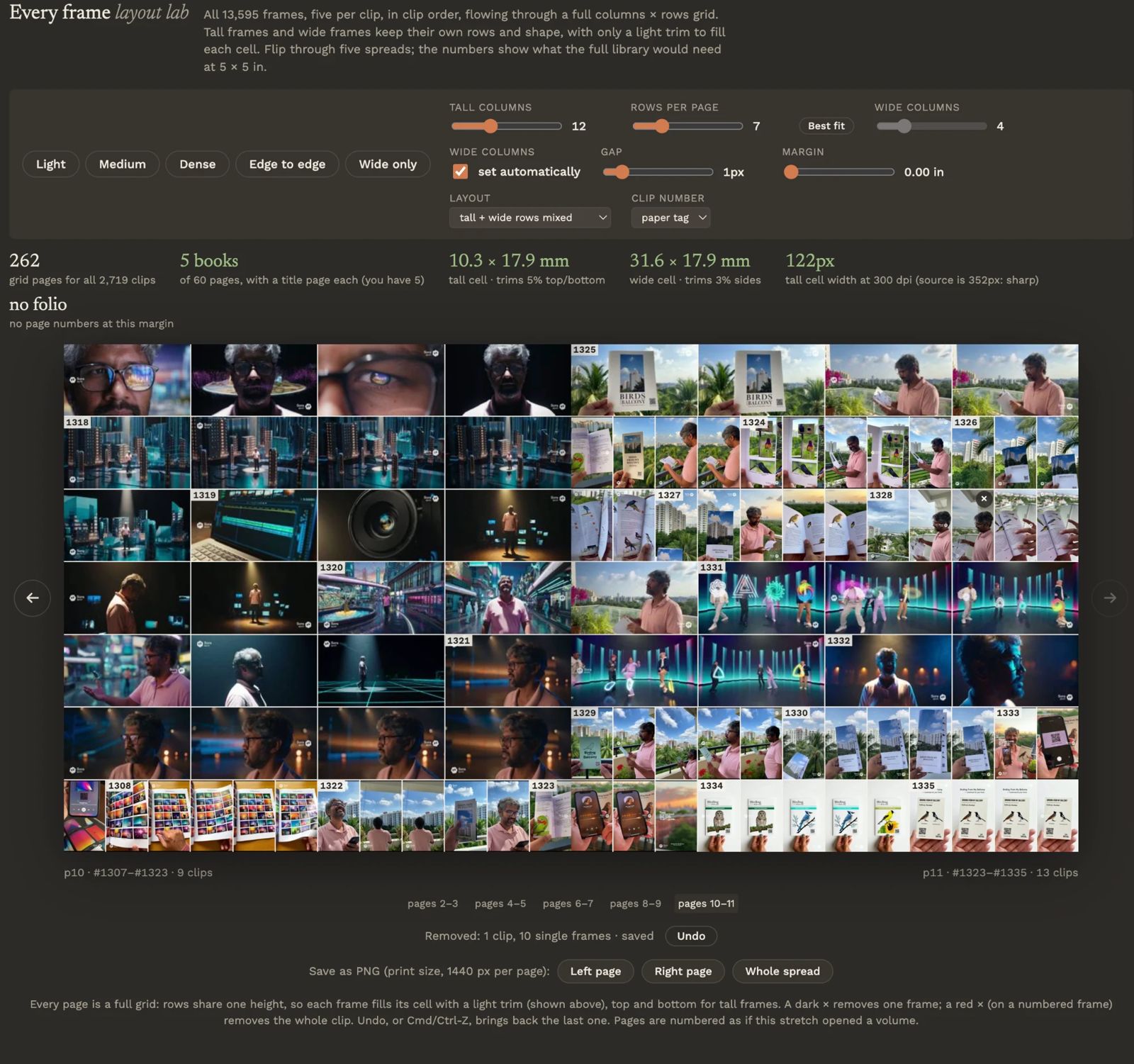
#0001–#2719by date; musicH-###/T-###). IDs get printed, so never renumber after printing. If the source must change, remap old → new IDs and spot-check. - Lab before layout. Build a tiny interactive lab (grid density, columns × rows, margins, trim %) with real images, and let the owner pick settings visually. Report the page and book count live.
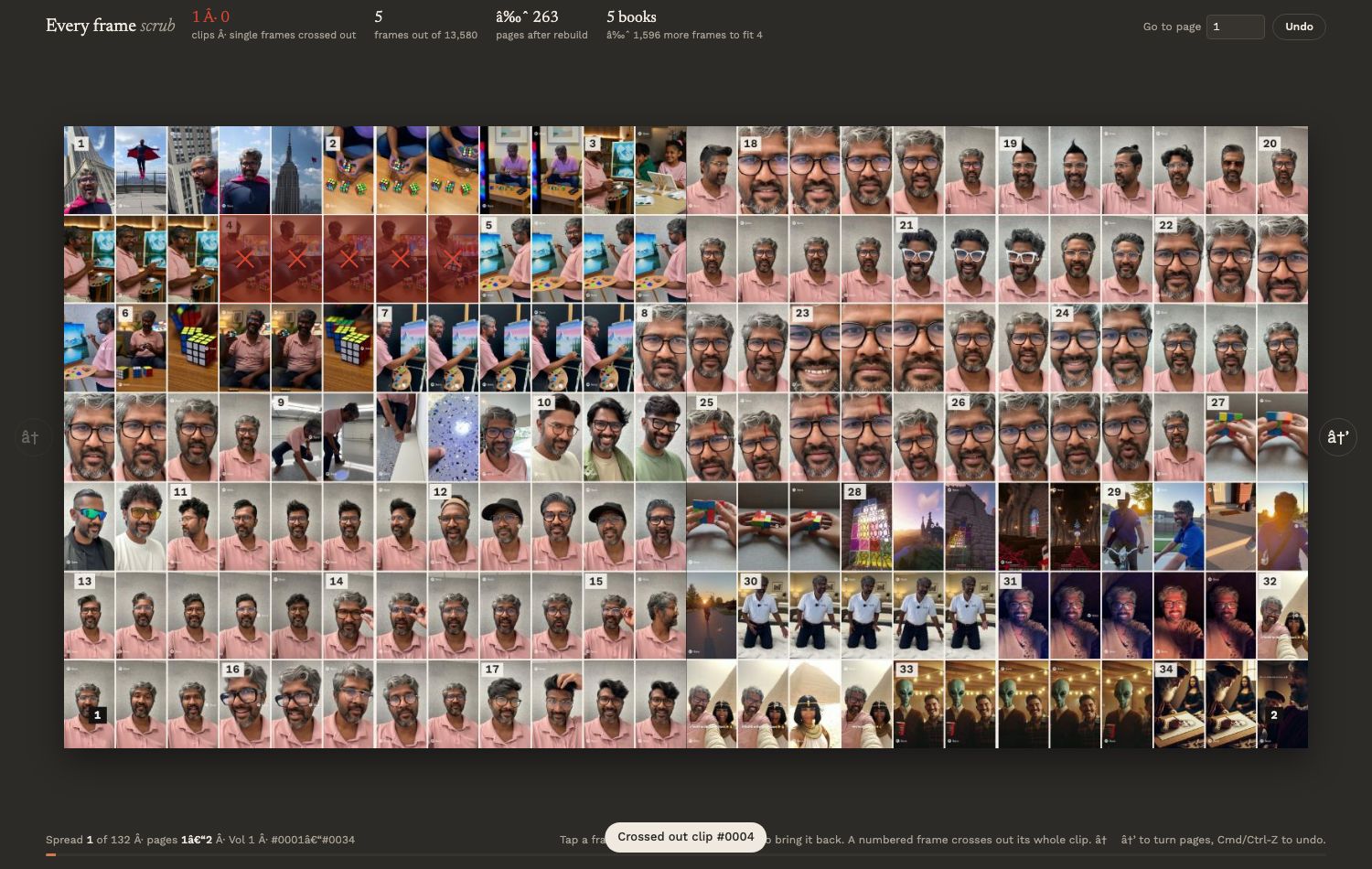
- Scrub or pick in an artifact with a database. Tap-to-cross-out (Every Frame scrub) or tap-to-pick (music feature picker). Picks save to the artifact's database and Claude reads them back, so no JSON goes back and forth. Show a live count against the target (e.g. "fits in 4 books", "54 / 54").
- Sample first, then the whole book. Build 3–4 varied spreads, get feedback, then build all 60.
- Preview as HTML on the home network (
python3 -m http.server <port> --bind 0.0.0.0, thenhttp://<mac-ip>:<port>/…). Show spreads as the printed book opens: image 1 alone on the right, pairs, image 60 alone on the left. - Export only after explicit approval. Re-export only the pages that changed.
- Upload a few pages to Chatbooks and check its preview before ordering. Screenshots of the preview are the final truth.
4. Design system that held up
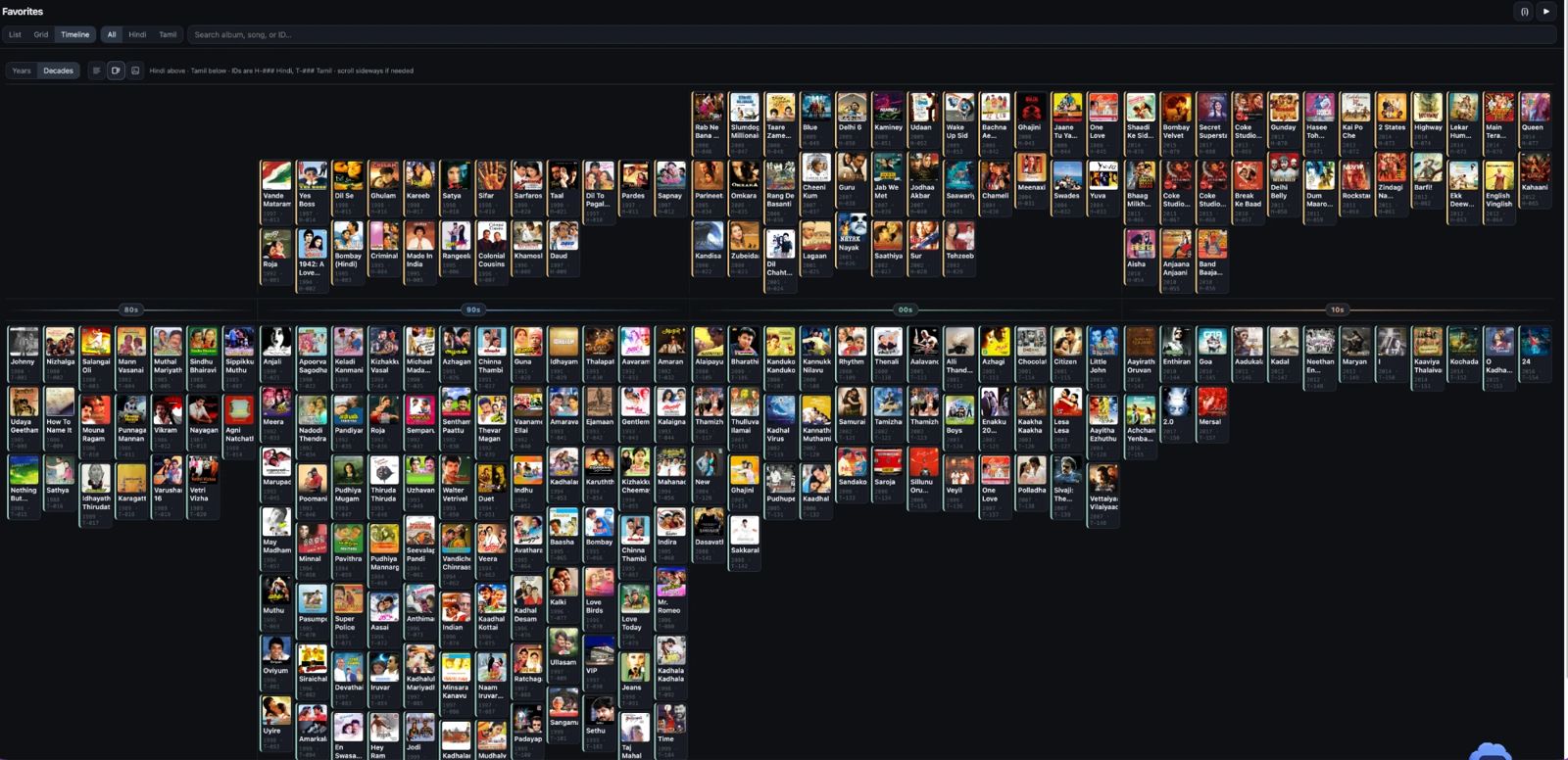
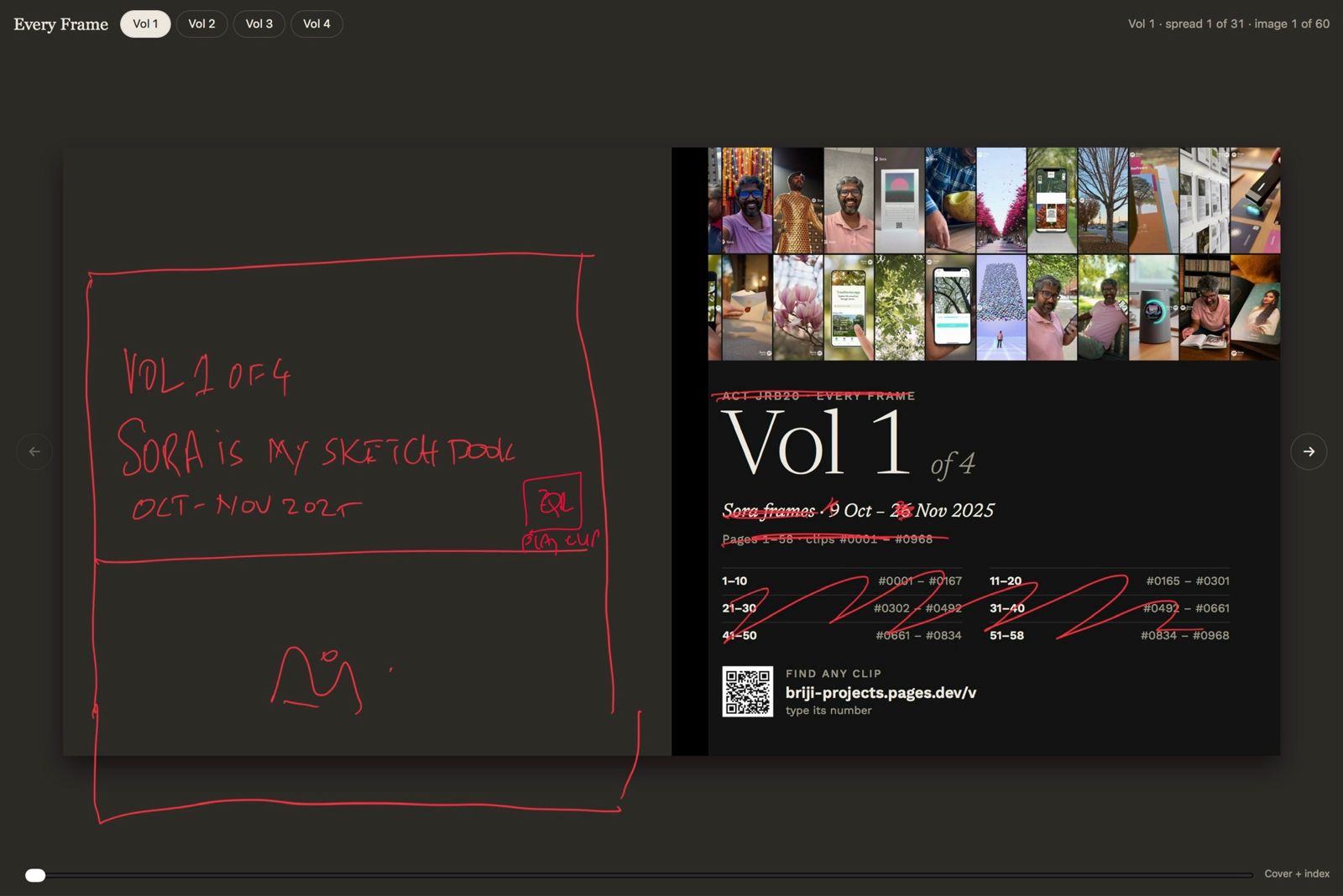
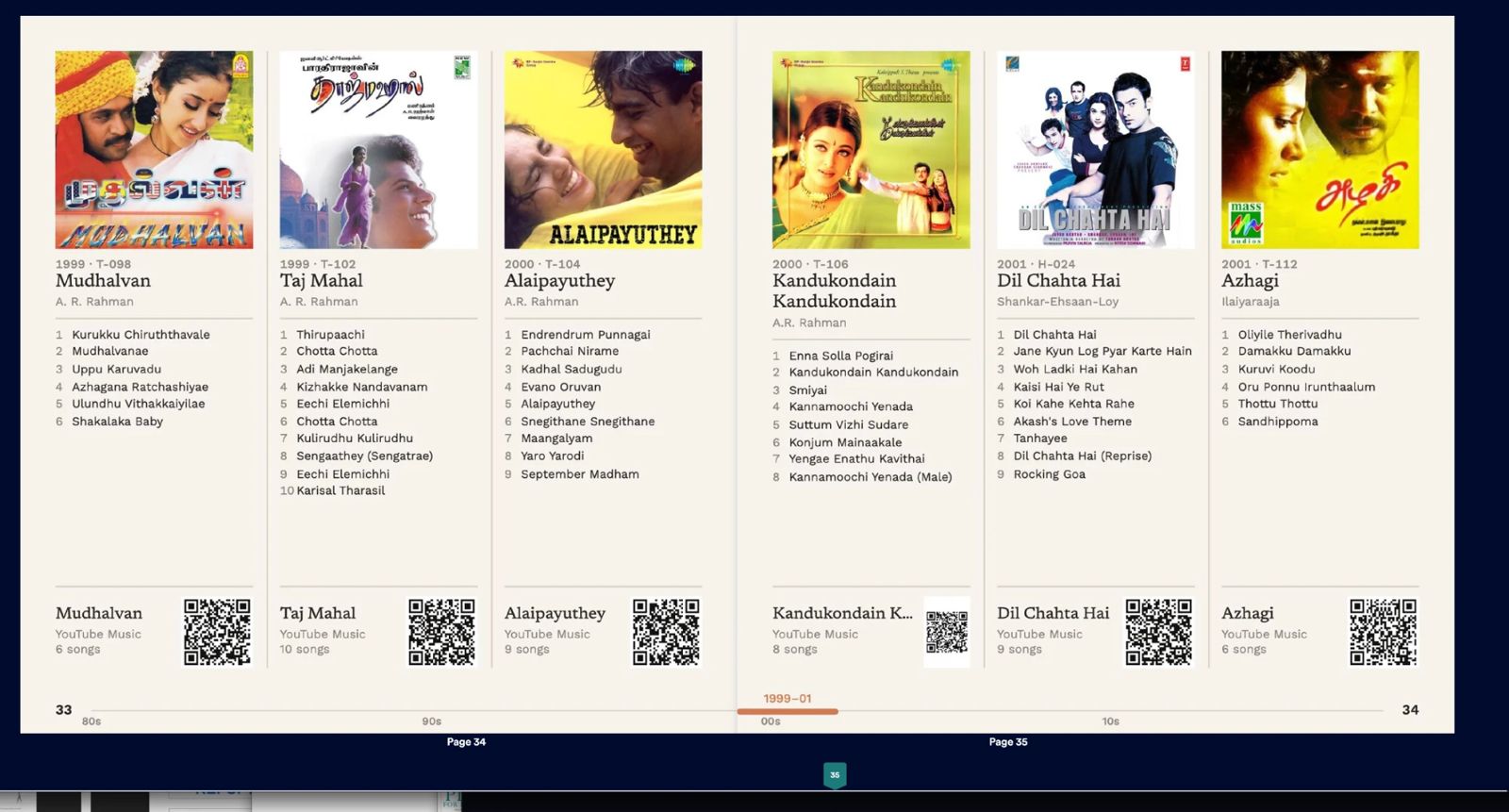
- Think in spreads, not pages. Timelines, era threads, index balance and headings are designed across 10 × 5 in, with a gap at the fold so nothing sits in the binding.
- Captions, always in the same order:
year · ID/ title / composer or artist (+ tracklist on feature pages). - Mix densities: feature spreads (6 per spread, tall columns with tracklist and QR) plus dense spreads (12 per spread). Chronological order throughout; popularity or the owner's picks decide who gets a feature slot.
- Grids: equal columns (dividers drawn in the gutter, not as padding) so covers line up exactly; one fixed QR size (
flex:none);object-fit: coversquares. - Page numbers: the outer bottom corner. Every Frame used a black tab running to the outer edge; the music book puts the number at the end of an era line, with the years on its marker.
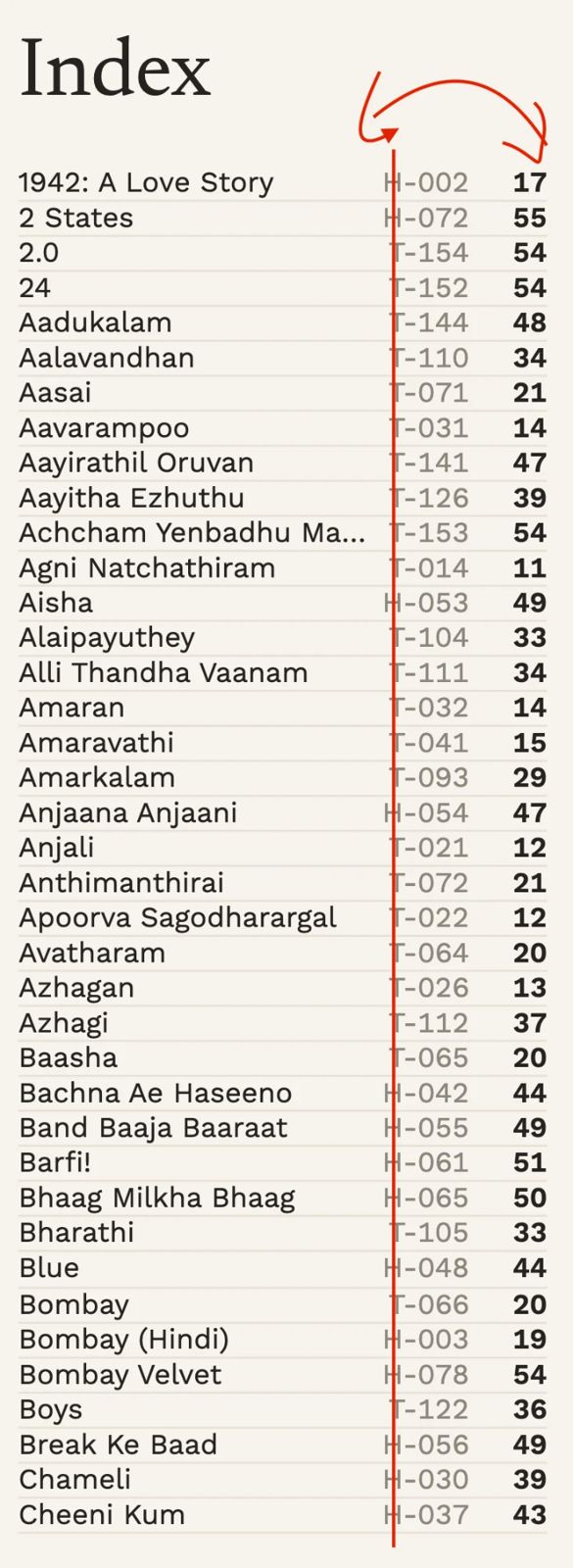
- Index: alphabetical, dense, at the back. Row =
name ····· page H-012, with the ID in fixed lanes (letter / dash / digits) and dotted leaders instead of row rules. Show the year for same-title rows. - Fonts: Newsreader (serif) + Work Sans (sans), stored locally. Type ≥ 6 pt for anything read in print.
5. QR codes and short links
- QR codes point at our own short link, never directly at YouTube: the target can then change without reprinting. — Sora gallery:
briji-projects.pages.dev/?video=123,/v/123, finder at/v— All I Need Music:all-i-need-music.pages.dev/?album=T-053,/a/T-053, lookup at/a - Claim the URL early (a live shell page) so the printed format is fixed before print.
- On Cloudflare Pages,
_redirectscan't put placeholders into a query string. Use a 200 rewrite to a page that reads the path. - Each book's first and last pages carry a "find any item" QR code; the last page adds a pet-projects QR code for updates.
- Deploys follow
AGENTS.md/DEPLOY.md: explicit approval, a log row,AGENT-LOG.md, and the checkmarked report.
6. Mistakes to avoid (each one cost us a round)
- Exporting before the owner approved the HTML, and exporting spreads nobody asked for.
- Designing single pages when the reader sees spreads.
- Letting a build script delete a whole output folder (it wiped exported PNGs). Only replace generated HTML.
- Squares that aren't equal because of padding; QR codes shrinking next to long titles.
- Vertical cover text too close to the edge (4 px) and shifted the wrong way: read the page the way the reader holds it.
- New folders scattered around. Keep one project folder (
project/book/, withprint/inside). - Browser-cached CSS hiding fixes: stylesheet links carry
?v=<timestamp>. - Popularity by raw views skews (Hindi over Tamil, kids'-channel uploads). Balance by share and let the owner pick.
7. Credits line (used on the intro and last page of the music book)
Curated by <agent> · Composed by <agent> · Steered by <owner> · <date>, set as small labelled blocks, centred. (Printed books only. Public web pages follow the public-attribution policy.)